
Pixel Zombie Arena Solo vs Squad: Which Format Should You Pick?
Solo or squad in Pixel Zombie Arena? Both are open from the start. See what each format means, how to pick when you load in, and what a run looks like.
Quick answer
Play solo when you load in on your own — you'll be one player handling every angle of the defense yourself. Team up in a squad of up to 4 players when you have company, because a squad lets the group split the work. Both formats are open from the start, and when you first load in the order is the same every time: tutorial, format choice, class.
- Solo: one player who has to handle every angle themselves.
- Squad: up to four players who team up and split the work.
- Neither format is locked — both are available from the start.
- Same run in both: zombie waves, diamonds for guns and turrets, upgrades between runs.
Pixel Zombie Arena lets you play the same wave-survival game two ways: alone, or as part of a squad of up to 4 players. The format changes who covers the fight with you, not what you are fighting for, so the decision mostly comes down to who you are loading in with. Below is what each format means, exactly where the choice happens when you load in, and what a run looks like either way.
How to pick your format when you load in
Your first load into Pixel Zombie Arena follows the same order every time, and the solo-vs-squad decision is the middle step:
Checklist
- Watch the tutorial
When you first load in, a tutorial walks you through the controls and basic movement.
- Choose solo or squad
After the tutorial you choose between solo play and a squad of up to four. This is the moment the format decision actually happens.
- Lock in a class
With your format set, you pick a class before diving into the waves.
Neither format sits behind progress or unlocks: solo and squad are both offered from the start, so the only thing that decides the pick is how you want to play this session. Once the format is chosen, you lock in a class — the roster ranges from the Marksman to the Titan robot — and the classes guide covers that choice in detail.
Solo vs squad: what actually changes
The mechanical difference is simple: solo means one player, while a squad allows up to four to team up. What that means at the defense line:
Solo vs squad at a glance
| Format | Players | What it means for you |
|---|---|---|
| Solo | 1 | You handle every angle of the fight yourself. |
| Squad | Up to 4 | The group splits the work across its players. |
In a squad, up to four players share one defense; solo, a single player covers every angle alone. That shared workload versus doing it all yourself is the practical distinction the choice screen gives you. What it does not change is content: both formats feed the same maps, the same upgrades and the same endgame, so pick based on who you are playing with rather than what you are trying to reach.
If you want to commit to one side, the solo guide and the squad guide go deeper on each format.
What a run looks like in either format
Whichever format you lock in, the run itself is unchanged. You blast wave after wave of zombies, grabbing diamonds mid-fight; diamonds buy bigger guns and drop turrets, which is how your firepower grows during a wave. Between runs you upgrade your guns, so each session builds on the last.
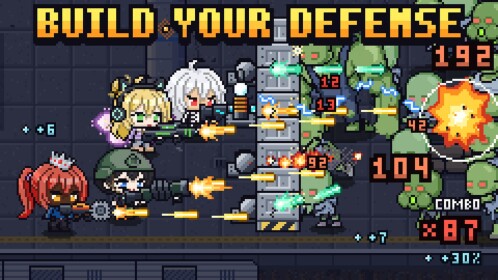
Runs play out across three maps — Rooftops, Cargo Ship and Subway — and pushing deep enough changes the game: reaching wave 20 unlocks Hard mode and its Blood Moon bosses. The format you picked at the load-in screen rides along through all of it, so solo vs squad is about how you want to experience that climb, not whether you can make it.
For more on the systems underneath, the wave survival guide and the diamonds guide cover the run loop and the mid-fight economy, the maps guide compares the three arenas, and the Hard mode unlock page covers what wave 20 opens up.
The short version
Loading in with friends? Squad up — up to four players can team up and split the work. On your own? Solo is there from the start too: one player, every angle covered by you. Either way the path is identical: finish the tutorial, pick your format, lock in a class, and start clearing waves toward wave 20. If you want the full picture of how a session plays out, the how to play guide walks through the basics step by step.